
Local teams serve Vancouver, Edmonton and Calgary. Call (604) 813-7881 for a free consult with Tony. No pressure, no jargon.
New Dental Clinic IT Setup: planned before the walls close
Opening day is weeks away and the walls are about to close
Bring us in while the drawings can still change. We plan cabling, network, servers and imaging around your operatories so opening day is about patients, not cables. We have done this for more than 25 clinics in new build or expansion phases. Book a free IT review.
- 25+clinics set up in new build or expansion phases
- 2Passion Dental Group clinic expansions we’ve helped with, 8 to 15 and 5 to 11 operatories
- Under 2 hrsto restore a failed server from local storage with Hyper-V and Veeam, once you’re open
- 40years of combined team experience
Building or expanding? Two people, two worries.
If you own the clinic
- Will opening day slip? We coordinate from the drawings with your contractor and designer, so the IT stays on time and on budget.
- What does a missed cable cost? Moving a cable run is easy on paper and costly behind drywall. We catch it on paper.
- What will it cost? Build work is quoted separately from monthly support, in writing, before you commit.
If you’re running the project
- One IT partner at the table. We read the power, equipment and millwork drawings and work with your architect, designer and contractor.
- Imaging that works on day one. Every sensor, scanner and CBCT gets a planned connection, and we handle the vendor calls.
- Safe before patient data arrives. Protection, 24/7 monitoring and backups are in place before you open.
What IT does a new dental clinic need before it opens?
A new clinic needs data cabling to every operatory and the front desk, a network and firewall, wireless, a place for the server or a cloud plan, workstations, printers, sensors, links to 3D (CBCT) and panoramic x-ray machines, backups and security. We completed data cabling setup, IT setup, and all hardware and software implementation for more than 25 clinics in new build or expansion phases combined.
Plan with the drawings
We walk the space with you and tell you what we would change.
Cabling and the rack
Data drops at every chair, and a proper home for the equipment.
Servers, network and imaging
Built, connected and tested with your sensors and machines.
Protection and backups
In place and tested before patient data arrives.
What to settle before the walls close
Share your drawings and we’ll tell you what we would change. We come on site to walk the space with you.
Cabling at every chair
Where each operatory, imaging room and the front desk needs data drops, and how cables will be run and labelled.
A home for the equipment
A rack or cabinet with power, ventilation and room to reach it, instead of a shelf in a closet. We recommend a battery backup (UPS) in the rack, so a short outage or a surge is less likely to damage the server.
Server or cloud
Your practice software decides this. If you run a server, we plan it on Hyper-V from the start, with at least 2 virtual servers: one for sign in (the domain controller) and one dedicated app server. Apps never run on the domain controller. One domain controller is our usual setup for clinics that can handle a few hours of downtime, backed by tested restores. If you can’t afford any downtime, we offer a second one, and we explain the trade-off up front so the choice is yours. We license Windows Server Standard or Datacenter edition to cover the virtual servers. Connecting people and devices also need Windows Server access licenses (CALs), and remote desktop sessions need RDS CALs. We confirm what you need.
Imaging connections
Sensors, plate scanners, CBCT and pan machines, and where each one plugs into the network. 1GbE is the standard baseline. With a CBCT, plan for 10GbE.
Wi-Fi and the firewall
Cisco Meraki network gear planned around your layout, with guest Wi-Fi on its own VLAN and its own DHCP. The firewall is a Cisco Meraki MX with Advanced Security, matched to your internet speed (1 Gbps with protection switched on), so it’s never throttled. Fast traffic between networks, such as 10GbE for a CBCT, is routed by the Layer 3 switch, not the firewall.
Security and backups on day one
Protection, 24/7 monitoring and backups are in place before patient data arrives. Backups get spot checks on multiple copies and a yearly disaster recovery test. We also ask how long the clinic can be down and how much data it can lose. See what happens when something fails. Our security layers
Clinic expansions we’ve completed, from the drawings
The drawings below are examples from clinic expansions we have completed, with identifying details removed. We also helped Passion Dental Group expand two of their clinics, one from 8 to 15 operatories and one from 5 to 11. We worked at the blueprint level: power, equipment and millwork drawings with the contractor and designer, so the server rack, every data drop and every imaging machine get a place before the walls go up. Catching a problem on paper is what keeps a build on time and on budget.
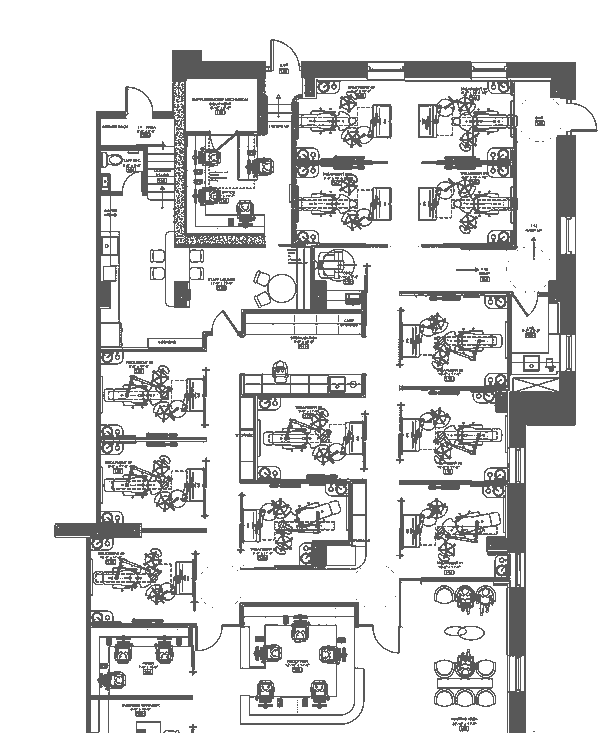
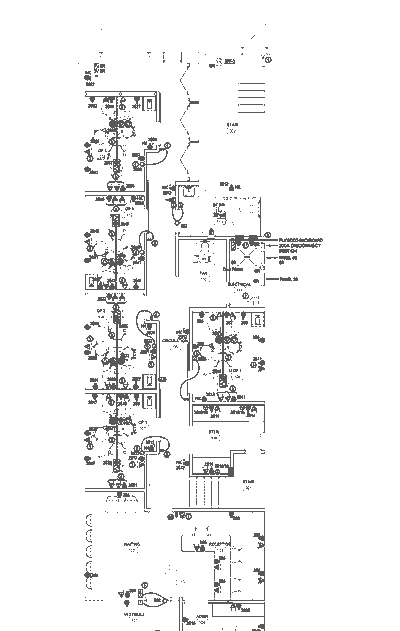
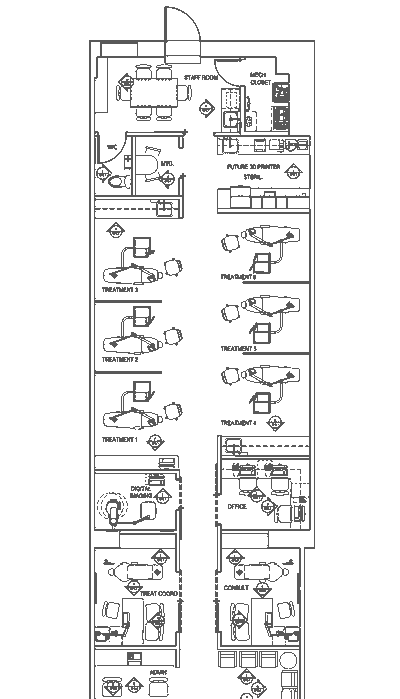
We also do the structured cabling, from the first data drop to a labelled, tidy rack. The equipment schedule tells us what plugs in where, so each chair, sensor and screen has the right connection on day one.
And we are not afraid of jobs big or small, from one new operatory to a full clinic build or an expansion.
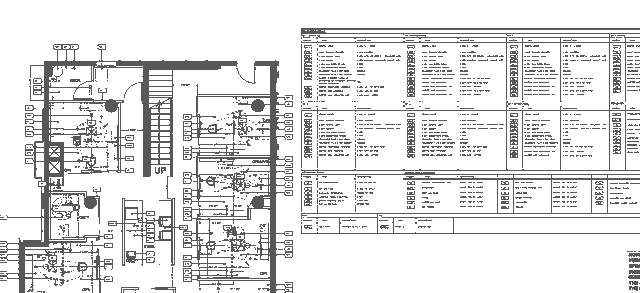
Every drawing here is from a clinic expansion we completed. Addresses and identifying details are removed.
2 virtual servers
One for sign in, one dedicated app server. Never apps on the domain controller.
RAID 10 storage
Keeps working if a drive fails.
SSD drives
Faster loading for charts and images.
Cisco Meraki MX firewall
With Advanced Security on and matched to your internet speed, 1 Gbps with protection on, so it’s never throttled.
PoE switches
One cable powers phones and Wi-Fi, for a tidy network.
VLANs and Layer 3
Keeps patient Wi-Fi apart from imaging and the server.
Why it matters, before the walls close
The decisions below are cheap on paper and expensive after opening day. Here’s why each one matters, and where your IT person can read the details.
Hyper-V
Why one dead server shouldn’t cancel a day of patients
Plan the server on Hyper-V from day one and it becomes a set of files that can come back on other hardware. Restoring a failed server from local storage with Hyper-V and Veeam has taken us less than 2 hours.
Read more: Why one dead server shouldn’t cancel a day of patients
RAID 10
Why a failed drive shouldn’t stop the schedule
Drives wear out. RAID 10 keeps the server running while one is swapped, so charts keep opening. It copies ransomware too, so it’s never your backup.
Business firewall
Why waiting room Wi-Fi shouldn’t sit next to your server
The internet provider’s box connects you. It doesn’t guard you. A business firewall with separate networks keeps guests on the internet and away from charts and imaging.
Read more: Why waiting room Wi-Fi shouldn’t sit next to your server
Immutable backups
Why ransomware goes after your backups first
If attackers can delete your backups, you’re stuck choosing between paying and rebuilding. Our immutable copies are locked for 30 days, from your first patient on.
DNS filtering
Why a bad click at the front desk can stop before it starts
Most attacks need a computer to reach a bad website. DNS filtering blocks known bad sites the moment a computer looks them up.
Read more: Why a bad click at the front desk can stop before it starts
MFA
Why a stolen password shouldn’t open the clinic inbox
Passwords leak. Multi-factor sign in asks for a second proof, like a tap on your phone. Set it up before opening day and nobody has to change habits later.
Read more: Why a stolen password shouldn’t open the clinic inbox
See every how it works guide. Rather talk it through? Call (604) 813-7881 or book a free IT review.
What every clinic should have
Here’s the short list we’d want in any clinic we look after. It’s a good checklist for a quote or a second opinion too.
- Hyper-V for production servers. Backups and restores are quicker, the server can move to new hardware without a rebuild, and updates can be tested safely first. The domain controller and the app server stay apart.
- Tested backups with an offsite copy. The 3-2-1 plan: three copies, two kinds of storage, one offsite. RAID keeps a server running when a drive fails, but it isn’t a backup. We do spot checks on multiple copies of the backups and a yearly disaster recovery test.
- Multi-factor sign-in. On email and on remote access, so a stolen password is far less useful.
- Remote desktop never exposed to the internet. Remote access goes through a secured, protected path instead.
- Regular patching. We do it weekly, around your clinic hours.
- Endpoint protection with 24/7 monitoring. Our security operations team (SOC) watches around the clock and sends text alerts when something looks wrong. Huntress, a separate security team, works alongside us.
- A Cisco Meraki MX firewall with Advanced Security, sized to your internet speed. It shouldn’t become the bottleneck when protection is switched on.
- Separate networks (VLANs). Guests, phones and clinical devices each get their own lane, with rules for what may connect.
- Apps on their own server. Your practice software doesn’t run on the domain controller.
- A written plan for downtime. How long can the clinic be down, and how much data can it lose? We help you answer both, so everyone knows.
We also recommend, depending on your clinic
- 10GbE for a CBCT. Big 3D images load more smoothly on a faster network.
- A UPS (battery backup). It gives the server time to shut down cleanly and rides through short dips.
- A second internet link. A backup connection can keep claims, email and cloud tools going if the first one drops.
- Enterprise SSDs. They are built for steady server workloads. Whether you need them depends on your clinic.
Every clinic is a little different, so we’re happy to go through this list with you. See also Is your clinic outgrowing its IT setup?
From our own clinic build work
A managed rack, cabling cleaned up and a treatment room display, from clinic projects we have worked on.
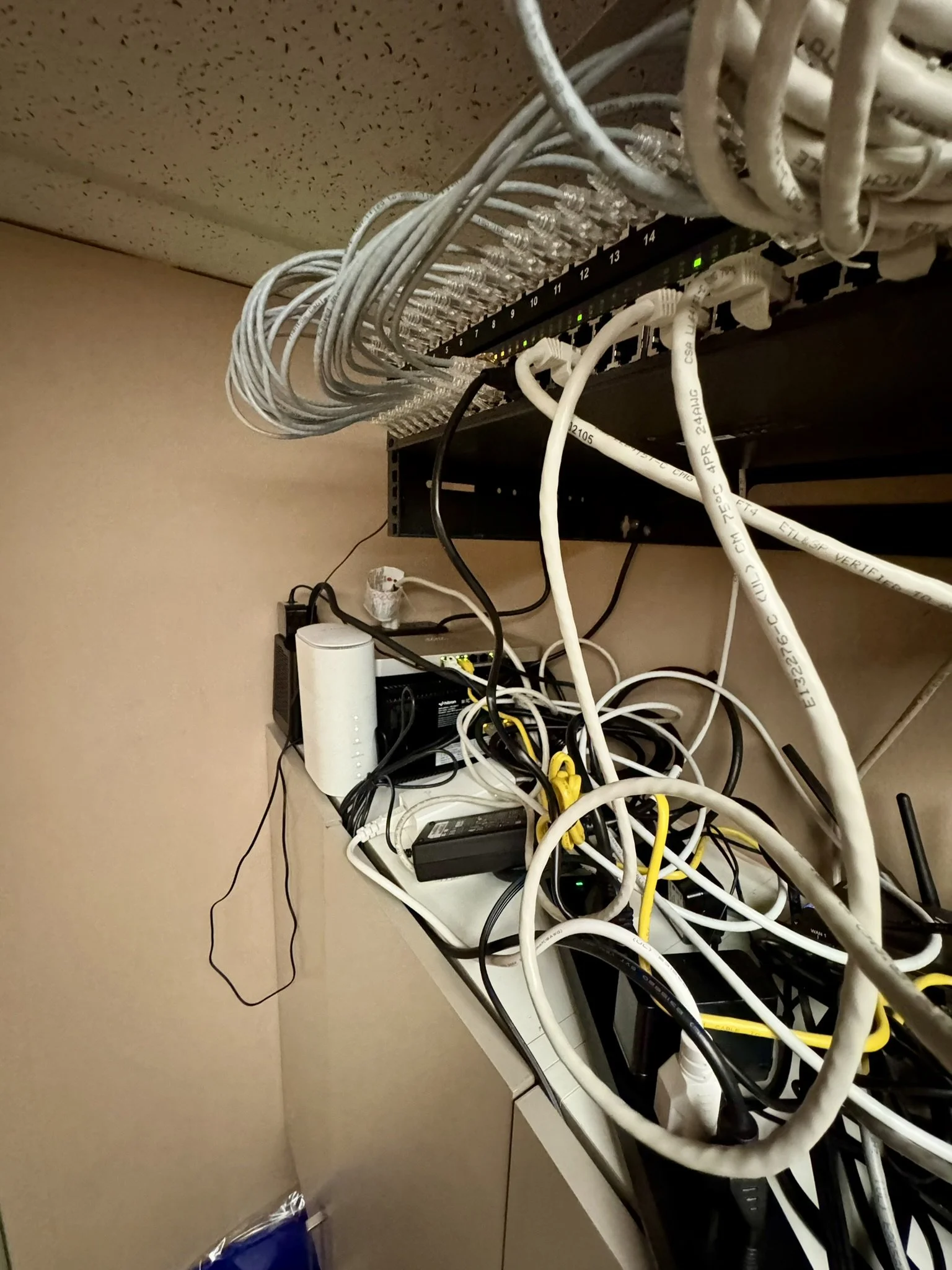
Cabling before cleanup 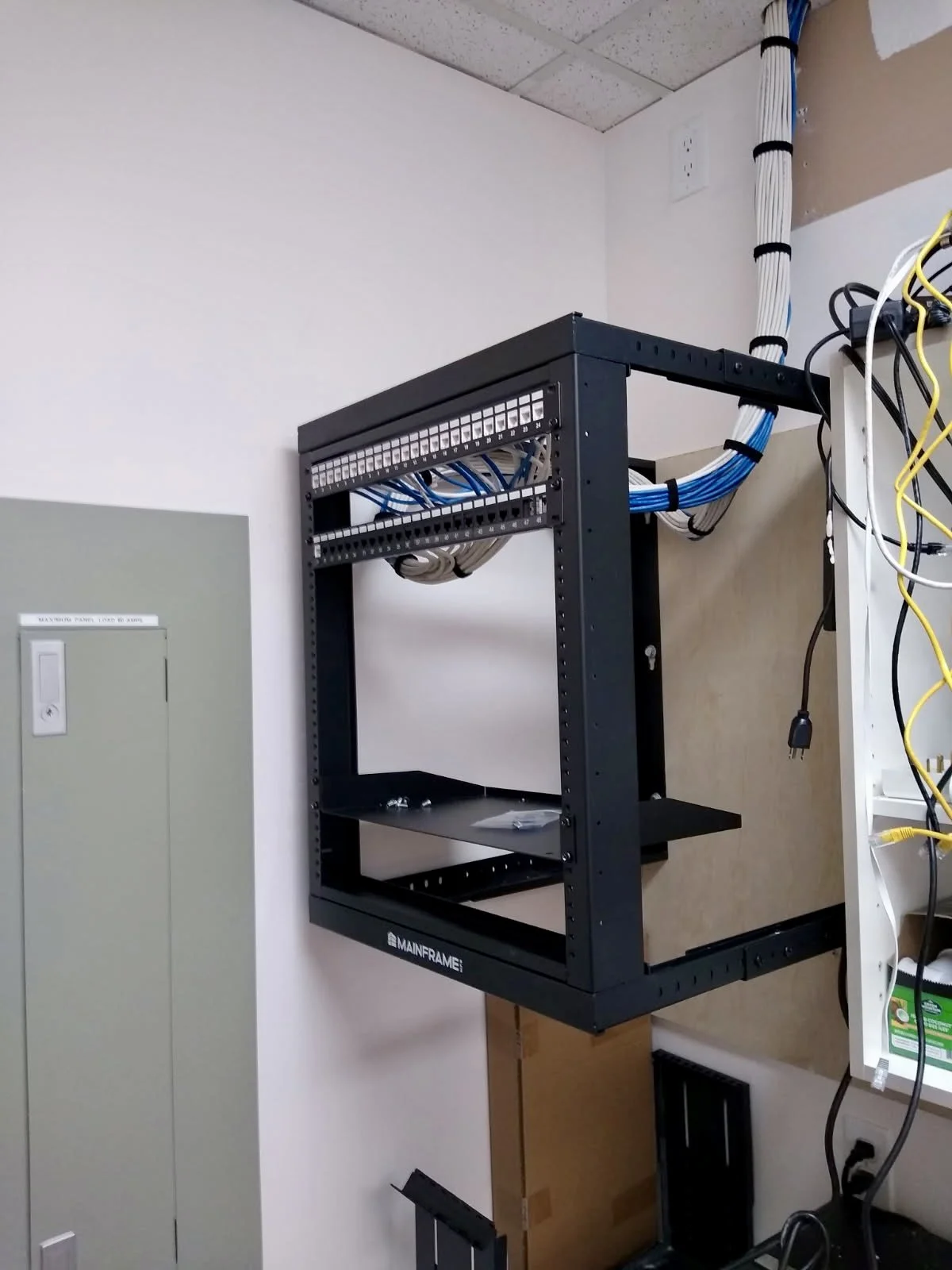
Cleanup in progress 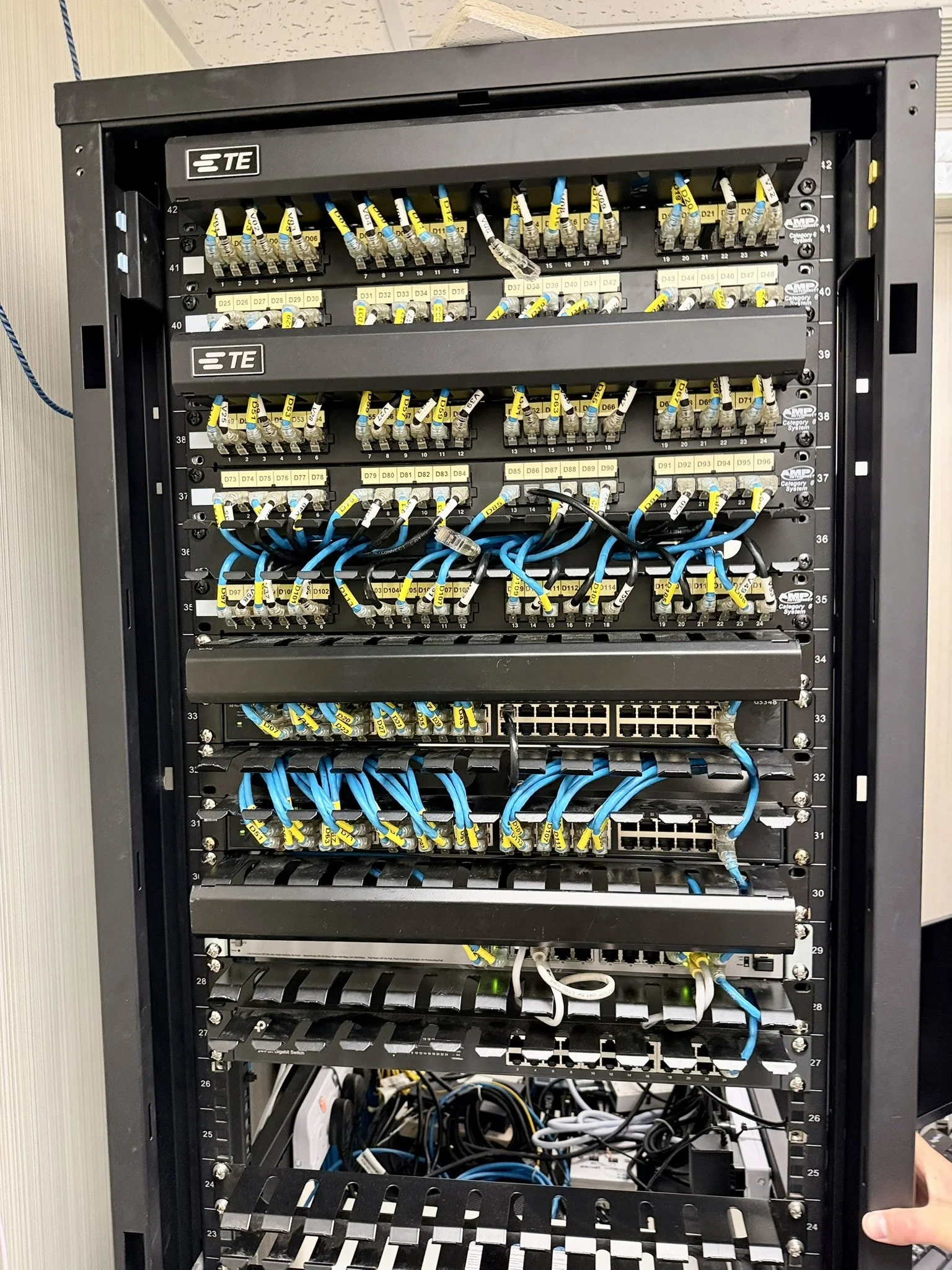
A neat, managed rack 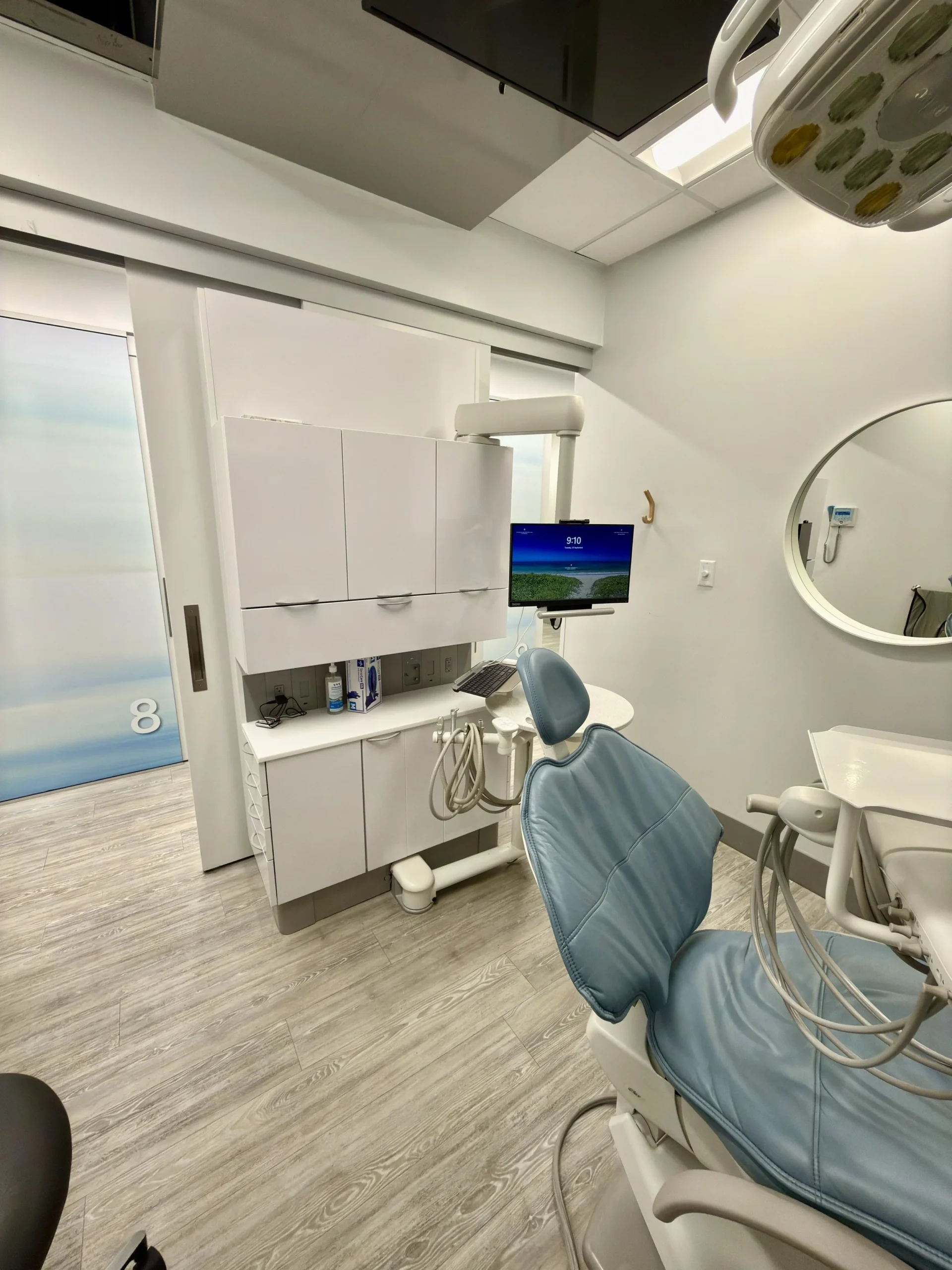
Operatory cabinetry and chair 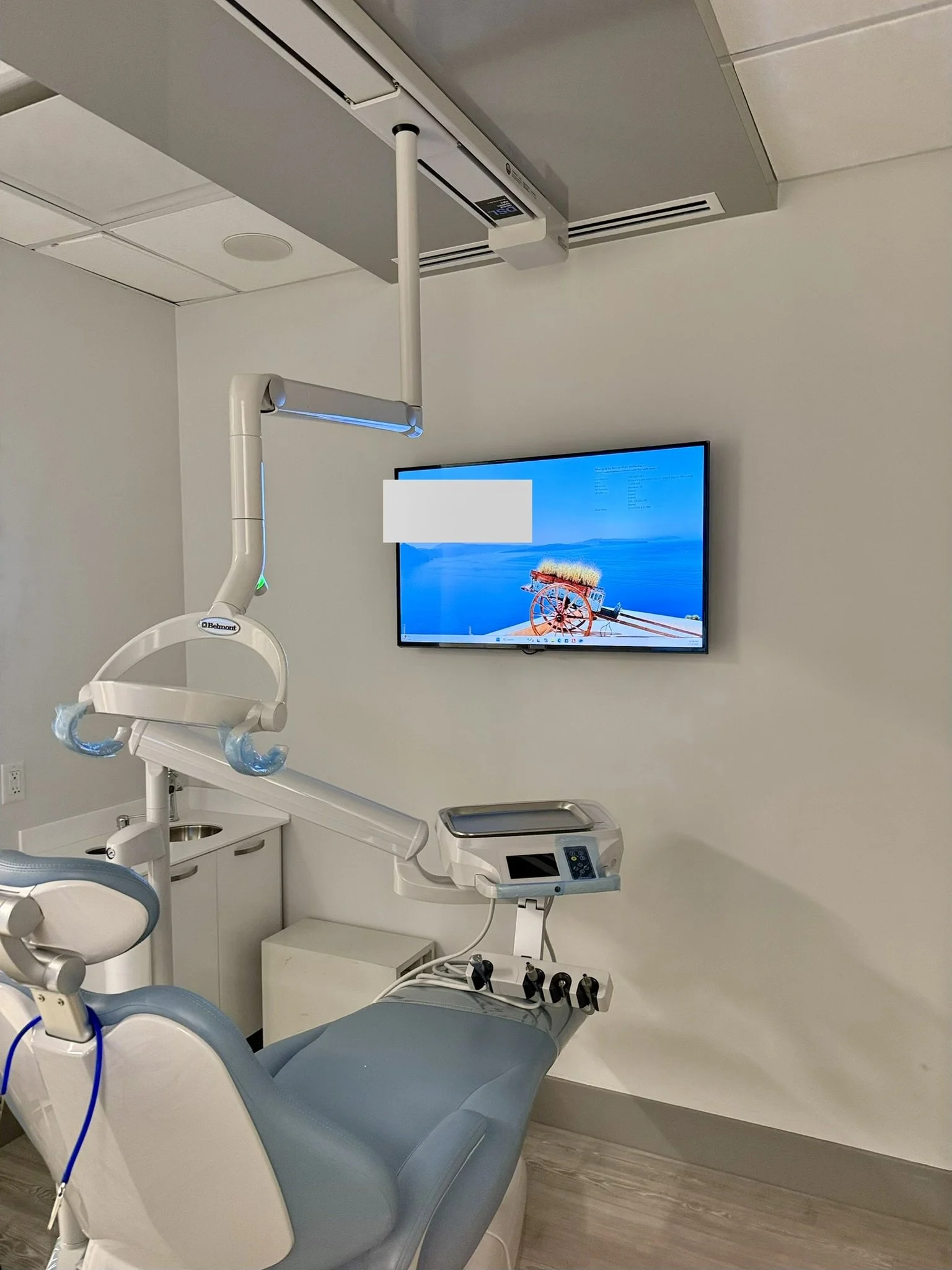
Wall-mounted display in a treatment room 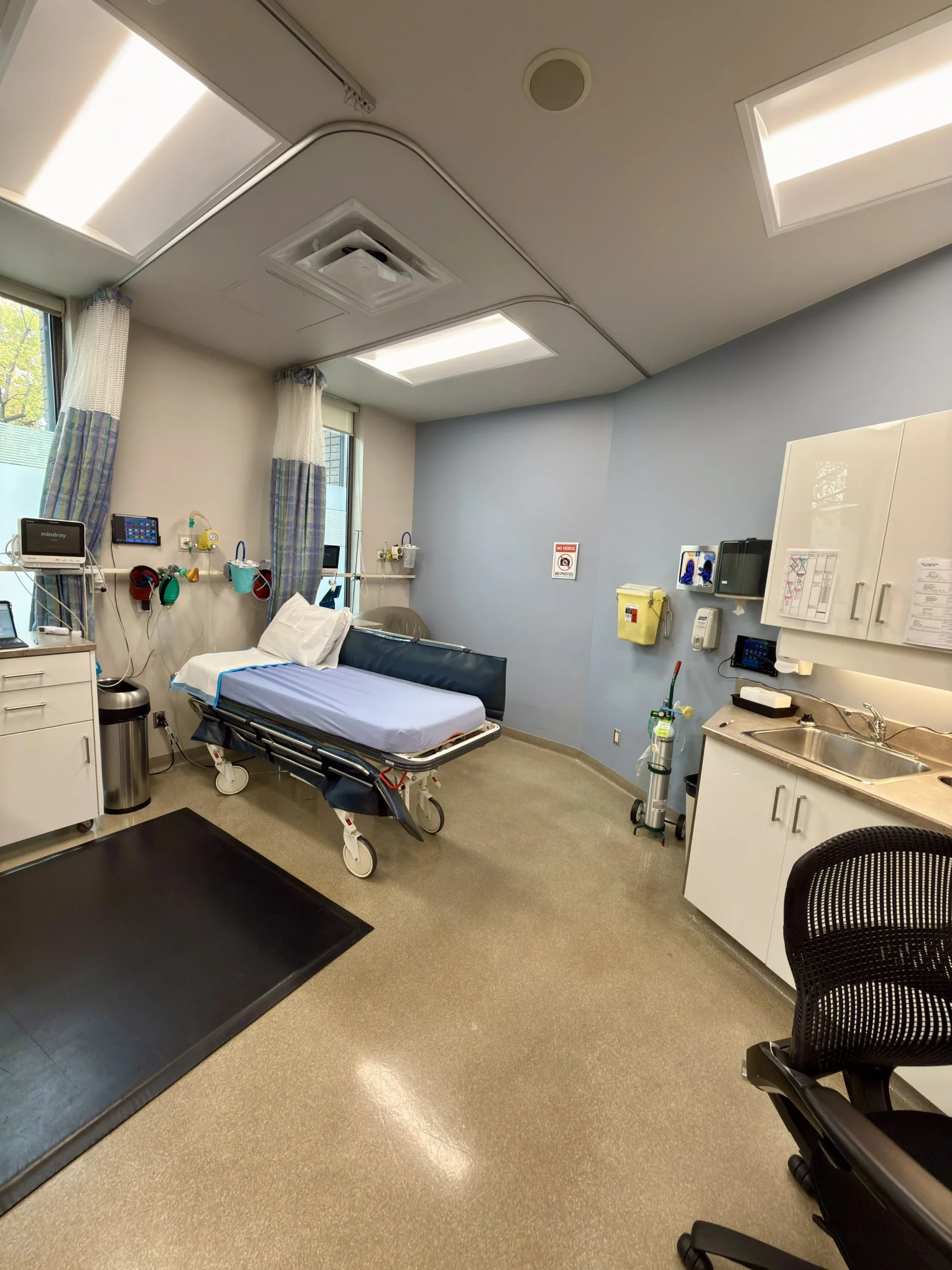
Networking for an anesthesia room
Plan the network walls before the cables go in
A separate Wi-Fi name isn’t a separate network. A Wi-Fi name only changes what shows on a phone. To keep guests away from clinic computers, imaging and the server, the guest Wi-Fi needs its own VLAN, a virtual wall inside the network, and its own DHCP, the service that hands each device its address when it connects. We plan both from the start, so every cable and access point lands on the right side of the wall. Read the plain-language explanation
A new Wi-Fi name, same network
Guests can still sit next to your computers, imaging and server.
A real wall, with its own address book
Guests get the internet and nothing else, under firewall rules.
Opening a clinic in your city
Vancouver and BC. Our Vancouver team is on Seymour St and walks your space on site. Check BC PIPA and the BCCOHP standards before you decide where patient data lives. Edmonton and Calgary. Alberta clinics should ask early whether a new system calls for a privacy impact assessment under the HIA. Your clinic completes it, and we work with lawyer Ritchie Po, part of our MSP, to assist. Our Edmonton team comes to your clinic, and our Calgary IT specialists are local, with no walk-in office, so we come to you. See the privacy rules guide. This isn’t legal advice. We also serve new clinics in Burnaby, Richmond, Surrey, Delta and Langley, in St. Albert, Sherwood Park, Morinville and Whitecourt near Edmonton, and in Airdrie and Cochrane near Calgary.
How the work is priced
New clinic cabling and other projects are quoted separately from monthly support. Ask for an assessment and we’ll go through the numbers in writing.
1GbE is the standard
Gigabit wiring is the baseline for every clinic.
With a CBCT, aim higher
A 10GbE network helps big 3D images load smoothly.
Planning a CBCT? Read how it bridges to your practice software: CBCT 3D imaging and your IT.
New clinic IT questions
When should I call an IT provider for a new clinic?
During design, before the walls close. Moving a cable run is easy on paper and costly behind drywall.
Can you work with my architect and contractor?
Yes. We read drawings at the blueprint level and work with your architect, designer and contractor from the drawing phase. Share the drawings and we’ll say what we would change, then walk the space with you on site. See drawings from real projects
Do I need a server in a new clinic?
It depends on your practice software. We’ll tell you honestly whether a server or a cloud setup fits, and a server can run on Hyper-V from the start.
Do you set up the practice software too?
We handle the IT side of Dentrix, ClearDent, Tracker, Curve Dental, AkituOne and Open Dental, along with Dolphin and ABELDent. Feature questions go to the software vendor.